Banned Book Week AR
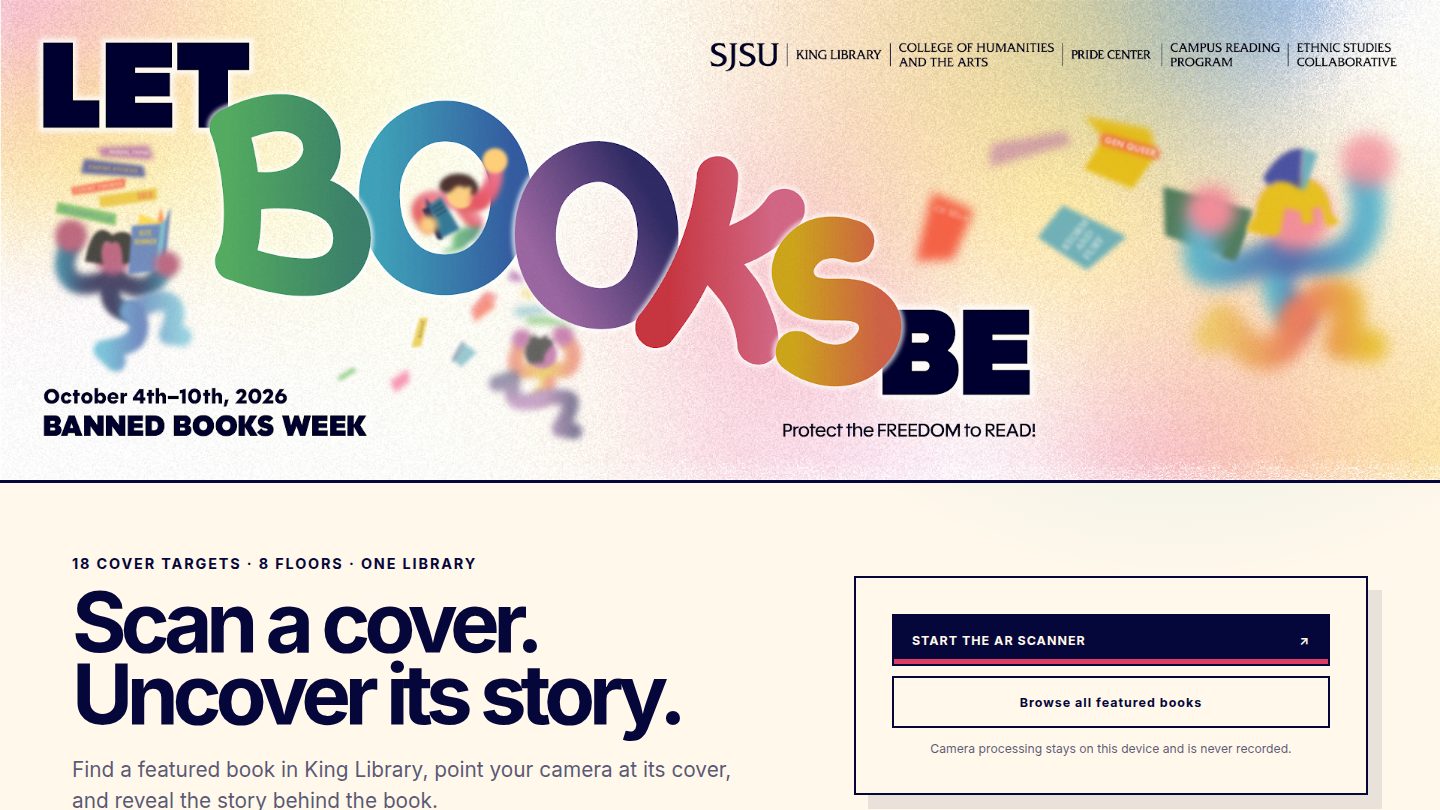
A phone scanner for Banned Books Week at SJSU King Library. Point the camera at a featured cover and a floating book plus a readable summary appear.
Overview
Public scanner for the library event: eighteen cover targets, eight floors, one library, with camera processing kept on the phone.
The live page credits me, Chris Velez, as the creator. The banner is the 2026 Let Books Be campaign, October 4-10, 2026. Its alt text names SJSU King Library, the College of Humanities and the Arts, the Pride Center, the Campus Reading Program, and the Ethnic Studies Collaborative.
The landing says 18 books, 8 floors, one library. Find a featured book in King Library, point the camera at the cover, and the app anchors a floating, spinning 3D book. An HTML summary opens at the same time so the text stays readable. Browse all featured books works with no camera. If the camera is blocked, the page offers a visual preview. The privacy line says camera processing stays on the device and is never recorded.
The README's target pack is eighteen covers: seventeen from the installation sheet, plus the approved 2008 Bantam trade paperback of I, Robot. At runtime the app reads only same-origin files under public/data and public/assets. It does not contact a catalog. The README also lists a private Sites host. I am not linking that here, and I am not putting the cover image files on this portfolio.
Development Process
Event page, then the camera
The first screen is the week, not one title. Start the AR scanner requests the camera, which needs HTTPS or localhost. A printed sticker can open one book with ?book= plus the book id, for example candide. QR decoding runs at most four times a second and pauses while a cover is tracked, so MindAR keeps priority.
Compiling the image targets
npm run compile:target opens MindAR 1.2.5's compiler in the browser, compiles every cover in order, writes public/assets/banned-books.mind, and records each cover's SHA-256. The live page loads A-Frame 1.6.0 and that MindAR build from vendor files. jsQR is the dependency that reads the stickers. npm run check:target compares the pack with those hashes.
Covers and the catalog
npm run scrape can refresh one pinned cover from Penguin Random House's ISBN endpoint. The script allowlists that host, checks that the bytes are a JPEG, and marks the MindAR target stale if the image changes. Live SJPL fetching stays off unless the command is run with --live-sjpl --authorized, and the README says to do that only after permission is documented. Candidate covers are marked unreviewed until they are matched to the physical books.
Challenges
- The README says to test the physical library copy, not only a photo on another screen. Jackets, stickers, glare, and reprints can change whether the target still matches.
- The repository records where a cover came from. That note is not a license to reproduce the art. The cover files stay in the project repo, not on this site.
- A-Frame, MindAR, the cover, and the .mind file are pinned together. The README says to re-test iOS Safari and Android Chrome when any of those change. I am not claiming that re-test is done.
What I Learned
- The spinning book is the moment people see. The HTML panel is what makes the summary readable, and it is also the path when the camera never starts.
- Keeping the video on the device is a product rule, not a footer. The app never uploads the camera stream, and the browse path still works when permission is denied.